SparrowGenie: Designing a controlled learning system for scalable response generation
SparrowGenie's AI assistant (Genie) is only as good as the knowledge it's trained on. Early user feedback revealed a consistent frustration: teams had no reliable way to know what Genie knew, how well it knew it, or what to do when it got things wrong.
The core design challenge:
How do we give non-technical users full ownership of their AI's knowledge — without making it feel like an engineering task?
Research & Discovery
I conducted 10 user interviews with Knowledge Hub admins across internal teams. Key patterns that emerged:
Users didn't know if training worked : After uploading a file, there was no feedback loop. Did it process? Did it fail? Was the content usable? Nobody knew until Genie gave a wrong answer in production.
Testing was ad hoc and manual : Teams were copy-pasting questions into Genie directly to "test" it - with no way to track results, compare over time, or share findings with teammates.
Fixing gaps had no clear path : When Genie got something wrong, users didn't know if the problem was missing content, bad content, or a confidence issue. Every fix was a guess.
These three gaps pointed to one underlying need:
a closed feedback loop — Train → Test → Improve — that made AI quality feel manageable, not opaque.
Design Decisions
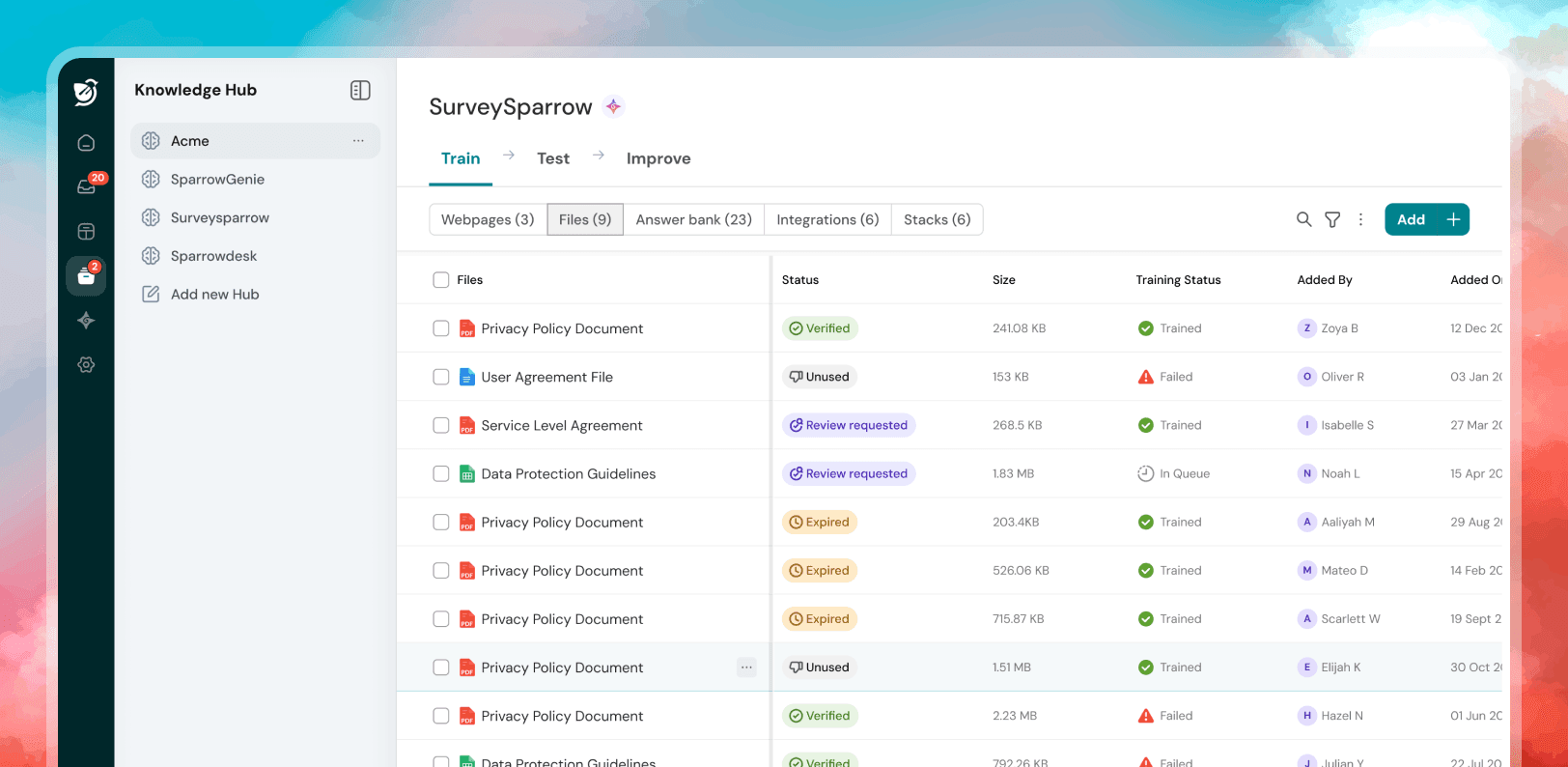
Making Training Status Visible and Actionable
I introduced four explicit file training states - Blank, In Queue, Trained, Failed - with inline recovery guidance for failures. The goal was to eliminate the "did it work?" anxiety immediately after upload. Users needed to trust the pipeline before they could trust the output.
2. Designing the Test Module Around Prioritization
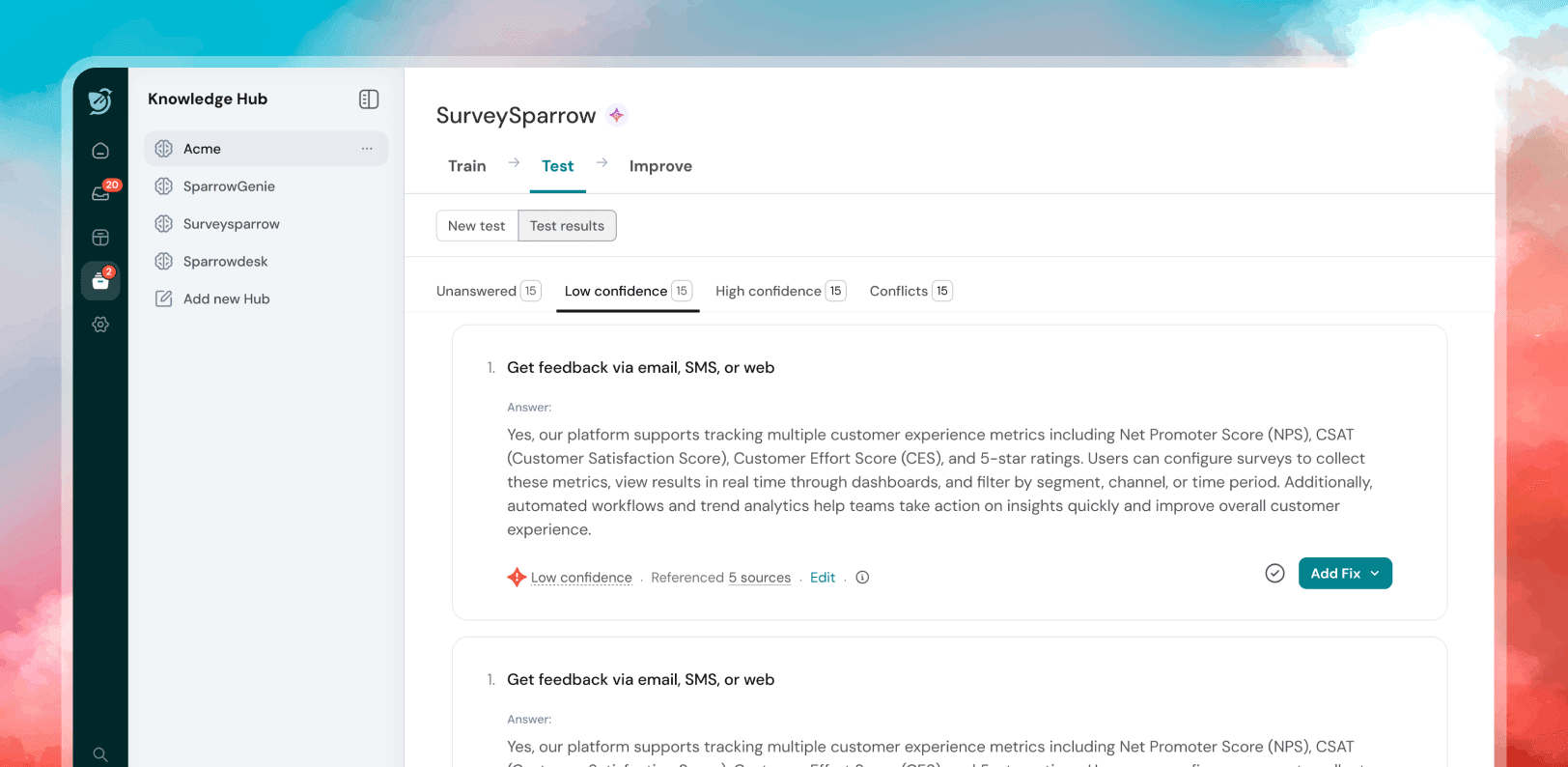
Early concepts showed all test results in a flat list. User testing revealed this was overwhelming - users didn't know where to start. I restructured results into three confidence tiers
(Unanswered → Low Confidence → High Confidence) with count badges, pushing the most critical gaps to the top. This turned a data dump into a prioritized action list.
3. The Improve Module as a Collaborative Backlog
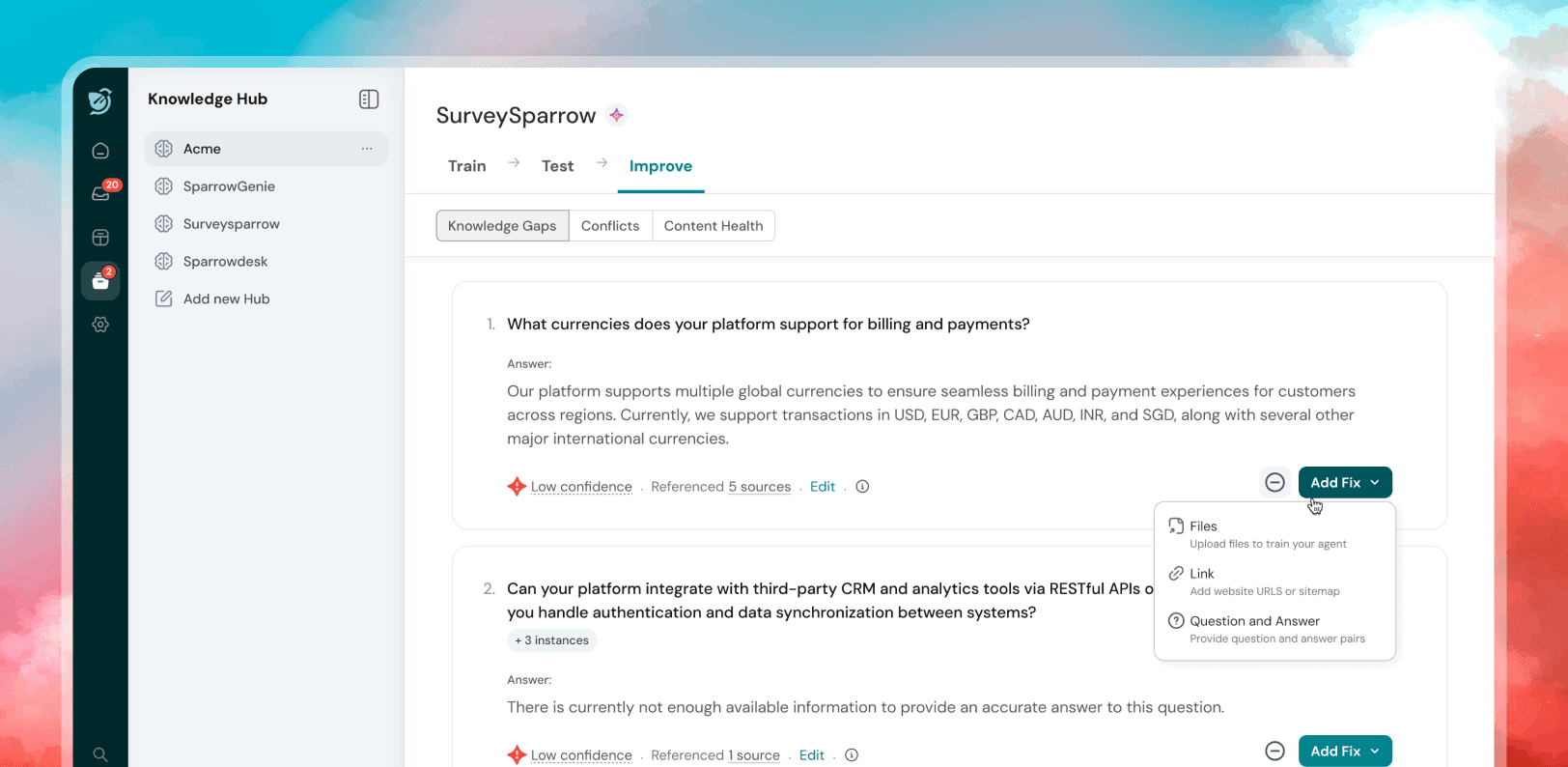
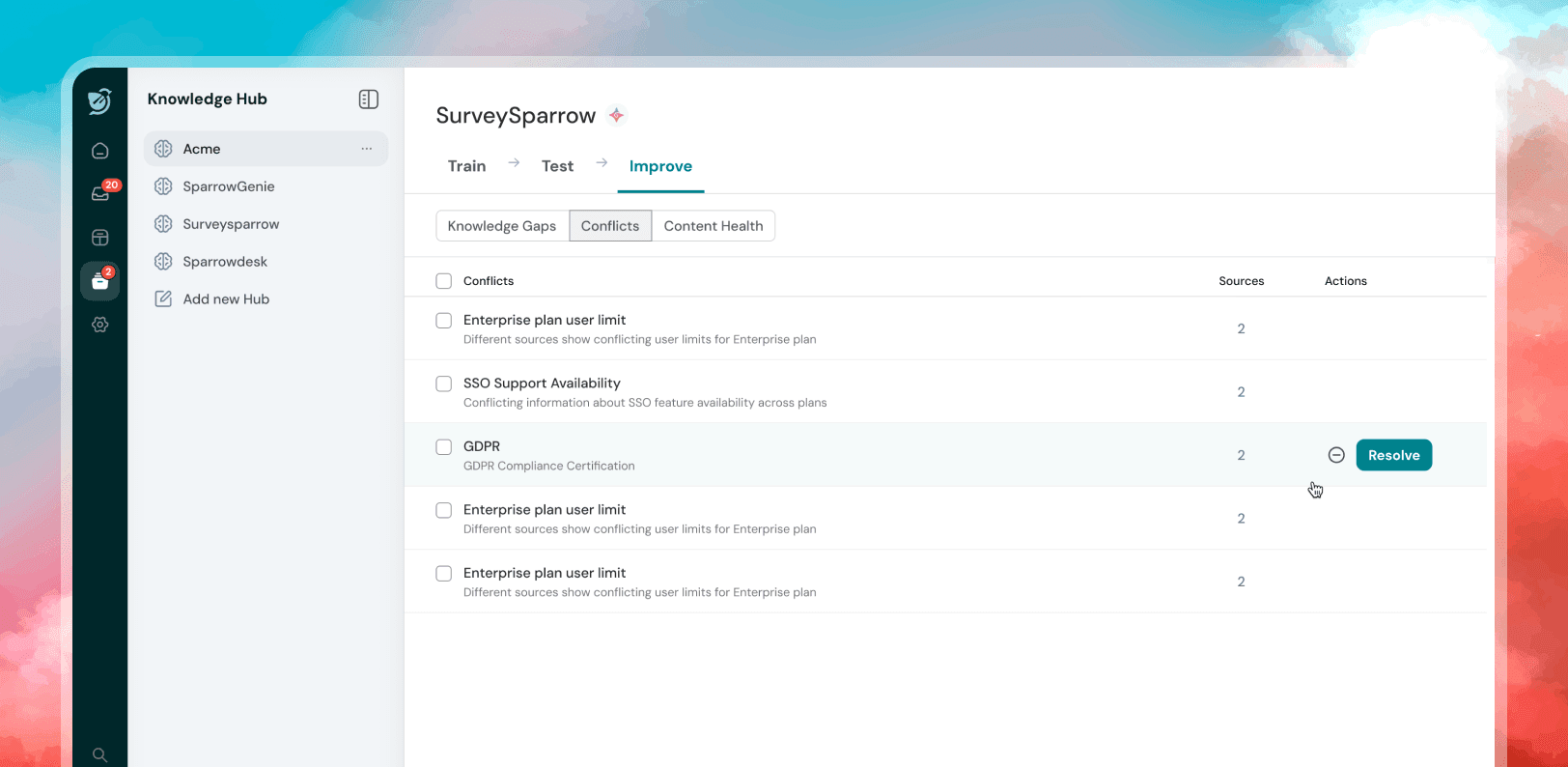
Rather than making fixes a solo activity buried in settings, I designed the Improve module as a shared team space - a centralized backlog of gaps visible to all hub members. One-click "Add Fix" and "Ignore" actions reduced the effort per item so teams could move through gaps quickly without context-switching.
4. Confidence Thresholds as a User-Controlled Dial
Instead of hardcoding what counts as "good enough," I gave admins configurable confidence thresholds. This respected the reality that different hubs have different stakes - a customer support hub needs tighter thresholds than an internal FAQ hub. Putting this control in the user's hands also increased trust in the scoring system itself.
What I Learned
The biggest insight from this project: AI tools fail at the UX layer, not just the model layer. Genie's underlying model was capable - but without visibility, testability, and a clear fix path, users couldn't trust it. The design's job was to make the AI's internal logic legible to people who don't think in terms of training pipelines.
The Train → Test → Improve loop wasn't a feature. It was a trust-building system.